Tuesday, October 29, 2024

Cyberbullying


I have followed Mychal Threets' library stories and enjoy his Instagram posts detailing his library experiences.  I feel that his story relating to cyberbullying has helped shed more focus on this topic.  Teenagers are experiencing cyberbullying at alarming rates. I found the definition of cyberbullying by the Cyberbullying Research Center (n.d.) interesting since bullying must be repetitive.  One time that a person is harassed online does not fall under the cyberbullying umbrella, it must be repeated harassment.  Cyberbullying is all-encompassing to the victim and the victim feels that there is not an escape from the harassment. The statistics regarding cyberbullying are especially alarming to me as a parent and an educator.  The Cyberbullying Research Center’s study (2023) found that 55% of students have been victims of cyberbullying in their lifetimes and 27% experienced cyberbullying within the last 30 days of the study.   My teenage sons have cell phones and my oldest has social media accounts. I place restrictions on their phones, such as time limits for applications, and downtime, and the phones are not allowed in their bedrooms at bedtime. As a parent, I can try to best educate and place restrictions on my children’s social media presence.  But, how can I best help educate students about cyberbullying and representing themselves as digital citizens? 

As a librarian, I feel that it is important to collaborate with the school’s guidance counselors regarding digital citizenship and cyberbullying.  This is a first step in addressing digital citizenship at the school and observing programs that are currently in place.  In the elementary school librarian role, I would highlight stories that detail experiences of cyberbullying and then have students role-play scenarios.  In addition, students could also write about how they would address harassment online (stopbullying.gov, n.d.).  All of these conversations would open up further conversations for assisting students with resources and making them feel comfortable with telling a professional about instances of cyberbullying.  In my current role, as a kindergarten assistant, we discuss daily social-emotional learning skills like words that can help build others or words that take away.  Digital citizenship plays into this same concept.  We are trying to teach students to be kind and respectful in person and also behind the screen of technology.  Digital citizenship is an ongoing, daily conversation with our students. 


References

stopbullying.gov (n.d.). Prevention at school. https://www.stopbullying.gov/prevention/at-school

The Cyberbullying Research Center (n.d.). What is cyberbullying? https://cyberbullying.org/what-is-cyberbullying

The Cyberbullying Research Center (2023, October 4). 2023 cyberbullying data. https://cyberbullying.org/2023-cyberbullying-data


Monday, October 21, 2024

 Blog 9 Social Media


I am really looking forward to creating advocacy for the school library through social media. As a parent, I subscribe to the various social media accounts for my children’s programs and I feel like it keeps me connected with what they are learning and experiencing in school.  In order to reach students and their families in the elementary school setting, I would utilize YouTube and Instagram for the library’s social media presence.  The Pew Center Research study (2023) rated Instagram and YouTube to be mostly used by teenagers and students.  In addition, Instagram reaches a target audience of parents and caregivers (Green, 2024). SnapChat is also very popular with teenagers, but I do not surmise that it would be an ideal social network with trying to reach elementary school students and their caregivers.  

School Policy

I am employed in the Fort Mill School District and I viewed our social media policy.  We are not allowed to use TikTok for school social media accounts.  In addition, X (formerly known as Twitter) is no longer recommended for use. Before posting students’ pictures on social media, an employee must check the students’ FERPA status on PowerSchool.  Another aspect of the social media policy is that your private and school accounts must be kept separate.  If you acknowledge that you are employed with the district on your private account, then you must be mindful of the information that you are posting since it will reflect on the school district, also (Fort Mill School District, 2024).  Since I am currently employed with the school district, I am already adhering to these policies.  We are sent an email from administration which provides the names of students who are not allowed to have pictures taken of them and posted on social media.  In addition, I keep my private social media accounts private and separate from my employment with the district. 


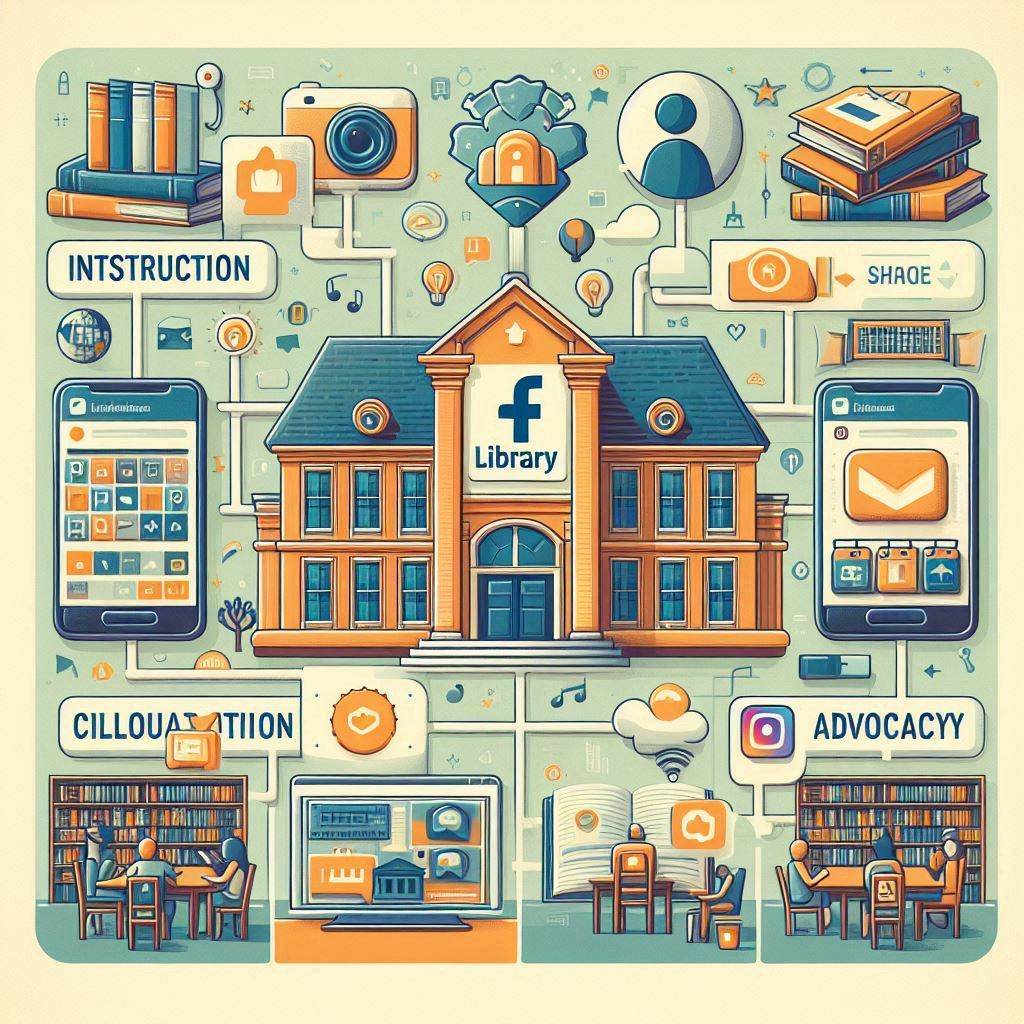
Instruction, Communication, and Advocacy

I have used social media like Instagram to collaborate with other professionals and foresee myself utilizing this resource more often when I am in an elementary school librarian role.  The Davis (2018) podcast discussed collaboration through finding similar interests on social media. Chats through specific hashtags provide many professional ideas.  In addition, through social media, the librarian can gain further outreach to classroom teachers by highlighting various tools and resources being used in the library (Davis, 2018).  I found this particularly relevant since the school that I work in currently operates with the library on a fixed related arts rotation.  Social media could help me with collaborating with these classroom teachers, when I am especially constricted for time with meeting with classroom teachers.

Social media plays a crucial role with student instruction, also. For example, Robertson (2017) stresses the importance of students in early grades creating classroom digital portfolios through a platform like Seesaw.  Students are able to watch the teacher demonstrate critical digital literacy skills while also viewing their own personal growth.  Digital portfolios are a living document that grows with the student as the student progresses through their educational journey (Robertson, 2017). We currently use the platform Seesaw with our kindergarten students.  Families and students are able to access their personal accounts and view the photos we post about our instruction, activities, field trips, and classroom life.  

Advocacy for the library is what I am most passionate about when assuming a role as a librarian.  I find the value and importance of the community recognizing and witnessing the resources that the library provides.  I love the idea of engaging students with the decision-making process in the library because it is ultimately their space to learn and enjoy.  Students can become involved with developing a logo for the school library, and social media page.  Also, I appreciate keeping the posts consistent with the content displayed for each day of the week (Green, 2024).  At a time when research shows that schools tend to take an easy path with cutting the library program, I am passionate that advocacy for the library is central to our position as a school librarian. 

References

Anderson, M., Faverio, M, & Gottfried, J. (2023, December 11). Teens, social media and technology 2023. Pew Center Research. https://www.pewresearch.org/internet/2023/12/11/teens-social-media-and-technology-2023/

Davis, V. (Executive Producer). (2018, August 17). 5 ideas to tap social media to enhance PD and student learning [Audiopodcast]. Cool Cat Teacher Blog. https://coolcatteacher.blogspot.com/2018/08/5-ideas-to-tap-social-media-to-enhance.html

Fort Mill School District (2024, August). Guidelines for the use of social media. https://www.fortmillschools.org/departments/communications/guidelines-for-the-use-of-social-media-in-schools-and-classrooms

Green (2024, March 10). Harnessing the power of social media to advocate for the school library [Presentation]. ISCI 761 University of South Carolina. 

Robertson, N.D. (2017). Blogs and digital portfolios. In Connected librarians: Tap social media to enhance professional development and student learning (pp. 54 - 62). International Society for Technology in Education.


Saturday, October 19, 2024

 Digital Curation Assignment


For my digital curation assignment, I chose to provide additional resources on makerspaces in the elementary school library.  First I must state that I really enjoy and love curation.  I have learned that I enjoy the organization of curation and how every topic has a place.  This is just another reason why I am drawn to the field of library sciences.  For my assignment, I chose to use Wakelet to organize and present my materials.  I have used Wakelet for another course which I have bookmarked resources about the various instructional roles of librarians.  I have found Wakelet to be an easy-to-use resource while also aesthetically presenting the material.  The only aspect which I did not like about using Wakelet, is that it was difficult for me to create subcollections within my main collection.  I spent a lot of time researching how I could present my collection with subcollections and was not able to find what I was exactly looking for.  Overall, the experience of organizing my topics and research on Wakelet was seamless and I am happy with my final product.

I chose the makerspace movement as my curation topic because it is an aspect of the elementary school library that I have not fully researched.  Through my education coursework, I have learned about different learners and specific methods to reach different learners.  I found the makerspace movement to fall into this category of reaching all learners.  Makerspaces allow students to problem-solve in the classroom through creating, designing, and building.  Students are garnering critical problem-solving skills through hands-on application.  My curation assignment on makerspaces includes subdivisions for the benefits of makerspaces, how to create your own makerspace, picture books and professional books, and software programs that a professional can utilize with students.  My curation link is below:


Monday, October 14, 2024

 3D Printer and the Technological Implications in K-12 Education

My children have experience using a 3D printer in technology classes in elementary school and I am always fascinated by the objects that they have created.  I have never used one and chose the 3D printer as the focus for my blog post to understand how they work and explore the educational possibilities.  A 3D printer has the capability of transforming a digital file image from a computer into a 3-dimensional object.  3D printers utilize an additive process to form the object through several layers of material.  A user can choose to develop a 3D image using specific software or utilize an image that is already created.  Many industries have the propensity to utilize 3D printers, like industrial products, prosthetics, eyewear, or even movie sets (3D Printing.com, 2024). How can 3D printers be applied in the educational realm?

3D printers help students with their creativity by making their images come to life.  Students are engaged with their creativity, mathematics, processing, engineering, and science when using 3D printers.  Through utilizing 3D printers, students can integrate technology learned in the classroom through the Replacement, Amplification, and Transformation (RAT) technology integration model (Read, 2022). For example, students can collaborate and work on their projects using digital software.  The software technology enhances the educational process and the 3D printer improves learning through the multidimensional printing process.  The end product can help aid students who could not learn in traditional manners by physically seeing and feeling the outcome of the product that they creatively developed (FunTech, n.d.). By using 3D printers in grade school, students are enhancing their future career roles since so many industries utilize CAD software and 3D printing. Furthermore, 3D printers can cut down on costs for classroom supplies and handouts.  As opposed to purchasing items for the classroom, an educator can utilize the benefit of having a 3D printer and print out the necessary materials required.  


I found 2 valuable educational resources that would be beneficial for educators looking to incorporate a 3D printer in their classroom.

Thingiverse - provides webinars, lessons, and ideas by subject matter for employing 3D printers.

https://www.thingiverse.com/education

Makerbot - provides educators with training information, support, and relevant descriptions of various 3D printer models.

https://www.makerbot.com/


References

3D Printing.Com. (2024). What is 3D printing?. 3D printing.com. https://3dprinting.com/what-is-3d-printing/

FunTechBlog. (n.d.). 3D printing for kids: What parents need to know and is it safe? https://funtech.co.uk/latest/3d-printing-for-kids-what-parents-need-to-know-is-it-safe

Read, M. F. (2022). RAT: The RAT technology integration model. EdTechnica: The open encyclopedia of educational technology. https://doi.org/10.59668/371.7485


Monday, September 23, 2024

School Library as a Technology Leader and Technology Plans

 School Library as a Technology Leader and Technology Plans


    Through my MLIS coursework, we have contemplated the topic of advocating for the library.  I have thought about collaborating with grade-level teachers in the elementary school library and finding ways to incorporate the community into library events.  I found the topic of using an annual report to advocate for the need for a library and the correlation on student achievement to be extremely useful.  A few takeaways that I gathered regarding the process of implementing an annual library report are: begin data collection early in your career, highlight the data so that it tells a story to administration about the impact of the library, and keep it brief so that an administrator will read the entirety of the report (LaGarde, 2019). In addition, the format of the annual report is important; the report should be made available in a digital format so that its outreach is vast throughout the school community.  The annual report is not only a tool to reflect upon at the end of a school year, but can also be utilized as a planning tool for the new school year (Abercrombie, 2017).  The examples of various libraries’ annual reports provided in the module gave me a solid perception of how to create a report and the manners in which I would disseminate this information.  As a parent of 3 children in elementary, middle and high schools, I would appreciate this kind of data regarding library services offered through the school and I will be incorporating annual reports in my future job as a librarian.

I selected to further analyze the Book Creator tool from the AASL Best Digital Tools article.  Book Creator is a tool for students to create their own books and tell their stories in a multimodal format.  I am a firm believer that storytelling in the library is especially important and Book Creator allows students to transform those stories into a book format.  This app allows students to save their work from each school year, so they can witness their growth as they progress through school.  Also, Book Creator allows for teacher involvement with the curriculum; teachers can utilize the tool to create presentations for their students that they can engage with.  Book Creator is a way for students to become authors and ultimately publish their own books.  https://bookcreator.com/


References


Abercrombie, S. (2017, May 24). Advocate for your school library program with an annual report. Knowledge Quest. https://knowledgequest.aasl.org/advocate-school-library-program-annual-report/

American Association of School Librarians. (2024).  Best digital tools for teaching & learning. https://www.ala.org/aasl/awards/best


LaGarde, J. (2019, May 21). It’s annual report season! Here are some tips to help you effectively tell your story. The adventures of library girl. https://www.librarygirl.net/post/it-s-annual-report-season-here-are-some-tips-to-help-you-effectively-tell-your-story


Monday, September 16, 2024

Information Literacy and Student Learning 

My personal daily information diet consists of news sources, social media and job related updates.  I listen to a 15 minute podcast each morning which provides me with a quick recap of popular news.  I utilize social media tools during the day to keep in touch with friends and family members.  In addition, I found myself readily fact checking the most recent presidential debate, which provided me with additional, current information during the debate.  I also utilize Instagram and Facebook for networking with other librarians and kindergarten teachers.  I have found these resources to be invaluable with lesson planning, behavior management and classroom management.  The school that I work in provides us with daily updates through emails.  Also, the administration keeps us abreast with policy changes to education within the state.  These policy changes typically spur me to conduct further research on my own.  In the classroom, we utilize Sora and PebbleGo with students, which were two technological resources referenced in the American Association of School Librarians’ (AASL) article (2024) on the Best Digital Tools for Teaching & Learning.  

Through the module readings this week, I recognize that a librarian’s informational diet should consist of keeping abreast of current technology trends and utilizing these resources to educate students.  I bookmarked several of the resources from this module as reference tools for my future role as a librarian. I found Google’s Be Internet Awesome (2024) website and videos to be especially helpful. A librarian educator has a responsibility with educating our students to become digital literate and to ultimately provide them with the tools to keep them safe while online. It is an interactive website that students can engage with learning about tools and resources which keep them safe in our digital world.  

In addition to digital resources, librarians must keep abreast of current trends in students’ and coworkers’ interest with reading materials (All4Ed, n.d.). All students should be able to find representation within the public school library.  To help with this, librarians should readily be perusing book award winners,, social media platforms and cross checking these platforms with verifiable journals, like the School Library Journal

References

All4Ed. (n.d.). Future ready librarians framework. https://all4ed.org/publication/future-ready-librarians-framework/

American Association of School Librarians. (2024). Best digital tools for teaching & learning. https://www.ala.org/aasl/awards/best

Google. (2024) Be internet awesome. https://beinternetawesome.withgoogle.com/en_us/


Fun Creations with Microsoft Designer


I have a husky dog with a fun personality and I wanted to see her as a rapper.  :-) 


Tuesday, September 10, 2024

 Diversity and ISTE Standards

The module for the week addressed diversity in technology and the integration of ISTE and AASL standards.  The lack of equal access to all students with technological resources was concerning to me.  The Code.org (n.d.) article highlighted the discrepancy of equality for all students regarding computer sciences and the detrimental effects that occur for students without this access.  Specifically, females and students of color are mostly impacted by the lack of access to these resources. Computer science courses are a necessity to prepare students for collegiate work and ultimately the workforce (Valenzuela, 2022).  


One way to improve access with technological resources is to offer technology programs to all students.  Technology integration should no longer be a choice. Bias should not exist that promotes computer science fields to a specific gender or ethnicity. Our school utilizes a rotational schedule for related arts, each class receives library instruction every 7 days. As a school librarian, I can incorporate technology into the media center’s rotational planning, for all grade levels and classes.  As I have previously learned and discussed in education and library sciences coursework, not all students learn in the same manner.  The same concept applies to computer science coursework.  As a school librarian, I must be cognizant that the technology material which I am teaching reaches all students.  One educational concept that Valenzuela (2022) discusses is through project-based learning which gives the students ownership of their learning experiences.  As the school librarian, I would facilitate computer science group projects that encourage students to work together, building their rapport and sharing the knowledge that they are learning (Valenzuela, 2022).  Being mindful and understanding of the fact that students come from various backgrounds and experiences helps bridge the gap with access to technology and computer science coursework. 


The readings and lectures for the week have provided me with an opportunity to envision how I will incorporate technology into my future school librarian role. Not only is it important for me to facilitate learning with the students, but I also must keep abreast of technological tools.


References


Code.org. (n.d.). Code.org's approach to diversity & equity in computer science. Code.org. https://code.org/diversity


Valenzuela, J. (2022, November 18). 3 ways to ensure that all students have access to computer science. ISTE.org. https://iste.org/blog/3-ways-to-ensure-that-all-students-have-access-to-computer-science#:~:text=Equity%20in%20CS%20requires%20an,equitably%2C%20in%20succession%20and%20effectively

AASL Standards for Framework - Interview 4

 Librarian Interview AASL Standard - Engage Competency     For my fourth librarian interview regarding the AASL Standards Framework for Lear...